 Knowledge Base
Pricing
Define time-based, seasonal, and membership-gated pricing rules for your venue's resources.
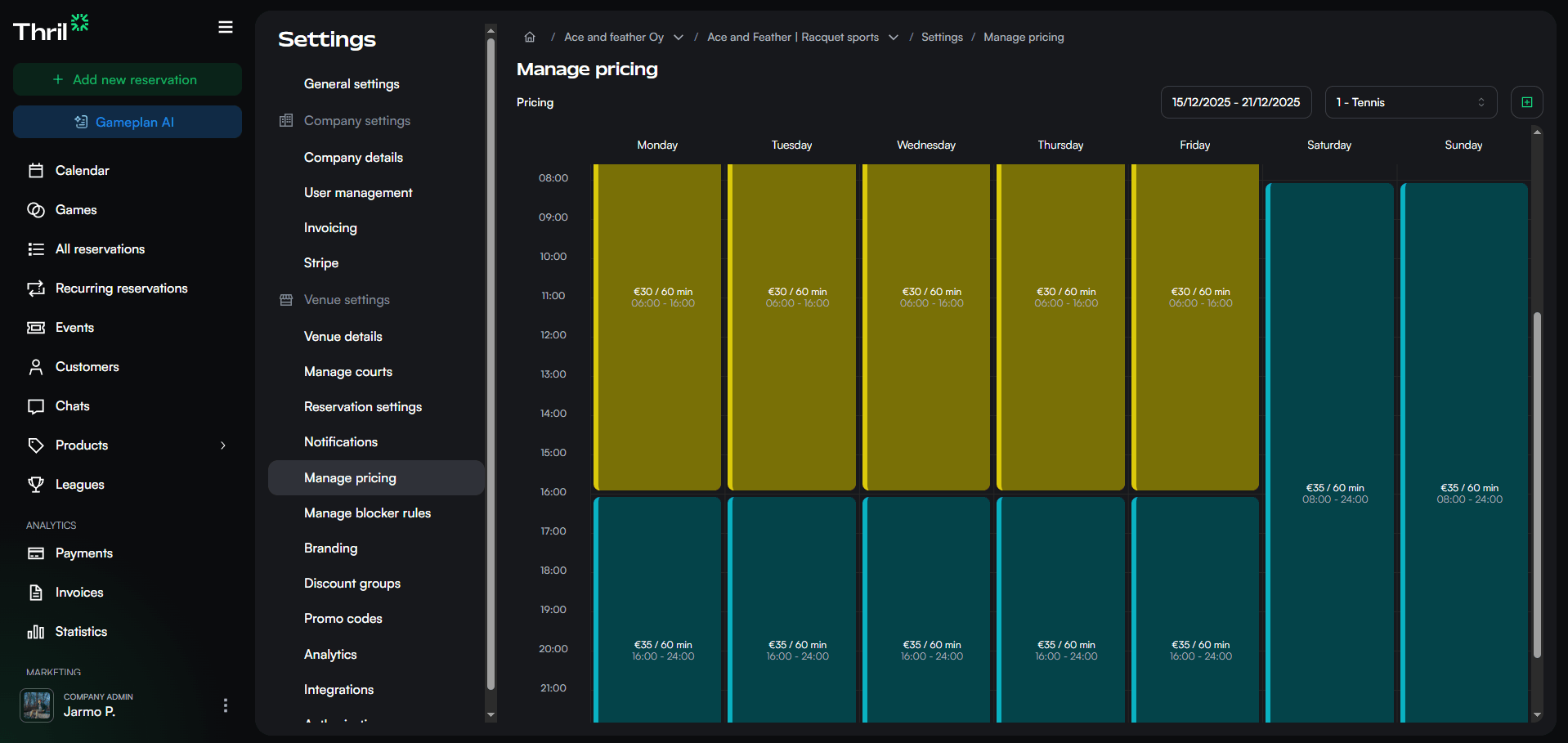
Pricing rules are managed under Settings → Manage pricing. The page shows a week-by-week timeline of all active rules, one resource at a time. Use the resource selector and week picker in the top right to browse.
Creating a pricing rule
Click the + button (top right) to open the create drawer.
- Pricing rule name — internal label, not visible to customers.
- Resources — one or more resources this rule applies to.
- Days of week — which days the rule is active.
- Date range (optional) — start and end date. Leave empty for an ongoing rule with no expiry.
- Time range — hours during which the rule applies.
- Scale pricing automatically — when enabled, the smallest duration's price is used as a base and prices are scaled up proportionally for longer durations. Set the maximum duration to scale up to and the step interval (30, 60, 90, or 120 minutes). You can override any auto-generated price by adding an explicit row for that duration.
- Pricing — one or more duration/price pairs (e.g. 60 min → €10). Add a row for each bookable duration. If no pricing is defined, the time period will not be bookable.
- Exclude unwanted time slot gaps — hides time slots that would leave an unobtainable gap in the resource's schedule. Enabled by default.
- Require membership to book — when enabled, only customers with an active membership can book from this rule. Non-members are prompted to purchase a membership to unlock access.
Click Create to save.
Per-resource tax and benefit settings: Reservation tax percentage and Finnish sports benefit eligibility are configured on individual resources, not on pricing rules. Open Settings → Manage resources, select a resource, and adjust those fields. See Resources.
Editing a pricing rule
Click any rule block in the timeline to open the edit drawer. All fields from creation are editable. Click Save changes to apply, or Delete to remove the rule permanently.
How rules work together
A resource can have multiple rules covering different time windows, days, or date ranges — each defines its own set of bookable durations and prices. When rules overlap, more specific rules take precedence: date-bounded rules override open-ended ones, and member-only rules override public ones. This means you can set a base price rule with no expiry and override specific periods with a seasonal rule without removing the base.
To offer member-only rates, combine a pricing rule with Memberships (using "Require membership to book"). For discounted rates, memberships are the recommended approach; Discount groups remain supported for existing configurations but are no longer recommended.
Memberships can also have dedicated reservation custom pricing, which acts as an overriding reservation-pricing rule. When custom pricing is set for a membership, it takes precedence over the normal reservation rule for that customer regardless of any other rules.
This reservation price is separate from the price charged for the membership itself. For free trials, introductory renewal prices, and member-specific discounted billing periods, see Membership pricing and trials.
Scaled pricing
Scaled pricing means you set a price for the shortest duration only, and Thril automatically calculates prices for longer durations proportionally. This saves time when a resource is bookable in multiple durations.
How to enable it
When creating or editing a pricing rule, enable the Scale pricing automatically toggle. Then:
- Set the price for the shortest duration. This acts as the base from which all other prices are calculated.
- Choose the maximum duration to scale up to.
- Choose the step interval: 30, 60, 90, or 120 minutes. Thril automatically generates a price for every step between the shortest and maximum duration.
Overriding a price
The automatically calculated price may not always be right for every duration. You can override any individual duration by adding an explicit row for it in the pricing field. A manually set price replaces the automatic one for that duration only.
Example
Shortest duration is 60 min at €20, maximum duration 120 min, step interval 30 min. Thril automatically generates:
- 60 min: €20
- 90 min: €30
- 120 min: €40
If you want to set 90 minutes at €25 for commercial reasons, add an explicit row for it — the other durations continue to scale normally.
Scaled pricing is especially useful for venues where the same resource is bookable in many different durations. It reduces manual work and keeps pricing consistent.