 Knowledge Base
Product images
A good product image sells. Follow these simple specs and framing tips so your memberships, session cards, credits, and Pro Shop items look sharp everywhere in Thril.
A clear product image does a lot of quiet work. It helps customers understand what they are buying at a glance, and it signals that your offering is professional and worth paying for. Every store product can carry one image, shown in the shop, in product listings, and throughout the purchase flow, so it is worth getting right. The good news is that the rules are simple.
Use a 16:9 image at a good resolution
Always use a 16:9 aspect ratio. This is what keeps your image from being awkwardly cropped as it moves between the shop, mobile, and listing views.
Aim for at least 1920 by 1080 pixels, and larger is better so the image stays crisp on big screens. Below is a strong example to model yours on.
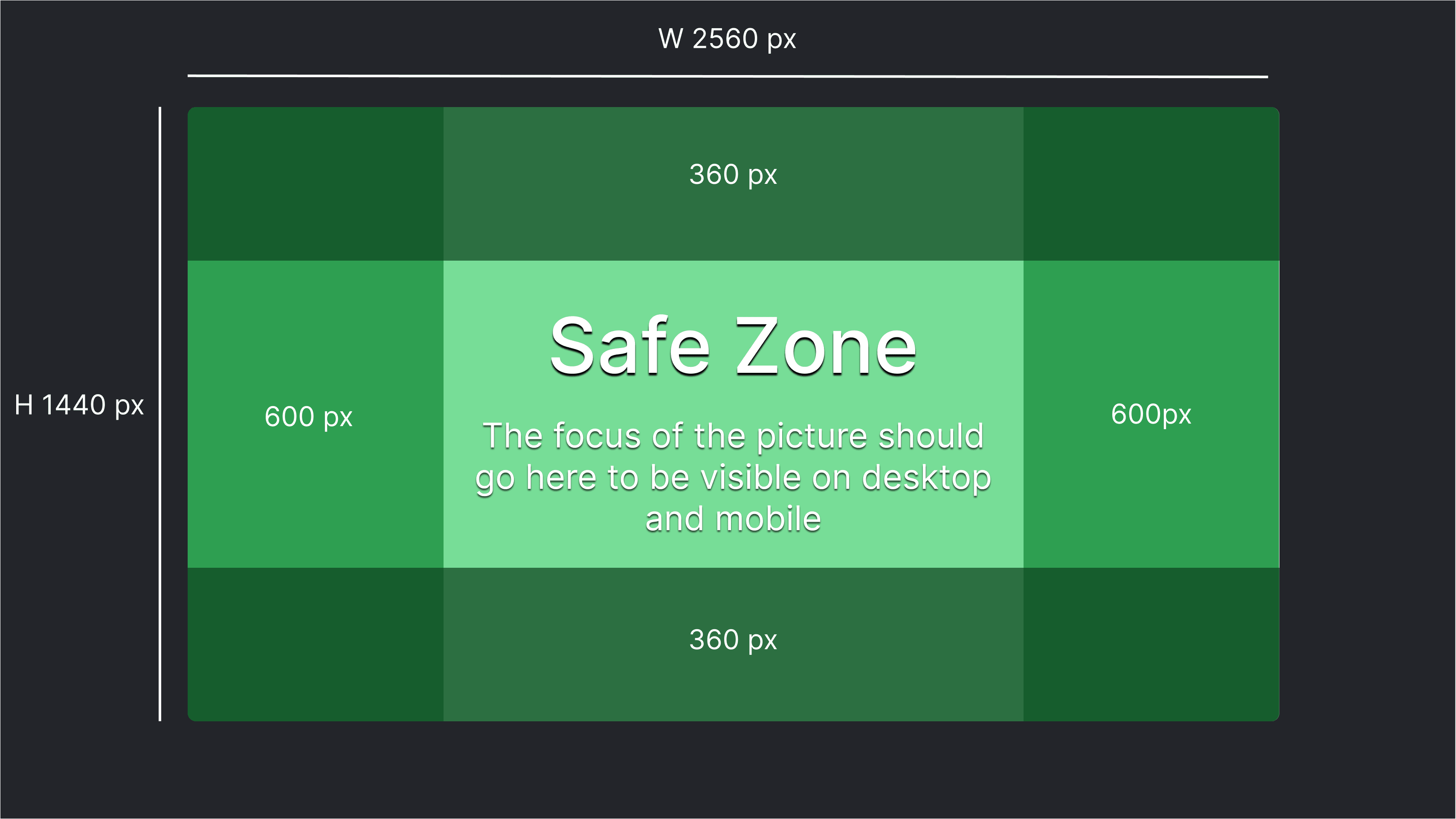
Keep it clear, and keep the important parts centred
A product image is not an ad banner, and clarity beats cramming. Focus on one clear subject, whether that is the product, the service, or the membership, and avoid small text or a busy collage of elements.
Because the image can be lightly cropped depending on where it appears, keep the things that matter near the middle:
- Your logo
- The product name, if you include it
- The main icon or visual that explains the product
Leave roughly 15 to 20 percent breathing room around the edges, and keep important elements away from the borders. A useful test: if the image were cropped to a square from each side, everything important should still be visible.
A quick check before you publish
Adding an image is quick. Open the product you want in the store products view, find the product image section, upload your file, and save. Each product shows one image in the store.
Before you publish, take a few seconds to confirm:
- It looks good on both desktop and in the Thril app from the customer's view.
- Logos and text are not crowding the edges.
- The image matches the product type, so a membership does not look like a balance top-up.
If it feels cluttered or unclear, reach for a simpler image. In practice, the cleanest option almost always wins.
Session cards
Sell prepaid packages of play, from ten-session punch cards and twenty-hour bundles to free trial weeks and unlimited seasonal cards, with fine-grained usage rules.
Integrations
Integrations connect Thril with third-party services like employee benefit payments, lighting & access automation, and accounting.